Helix Telecom has begun a infrastructure modernization project in August, 2026. Documentation, links, instructions and processes related to provisioning equipment, customer portal, voicemail portal, ticket management, SMS, MMS, Fax, softphones, email communications may be incomplete or inaccurate. If you need updated documentation please sign into your account at https://fixmyphonesystem.com and submit a support ticket for assistance.
What changes are required for my Netgear router?
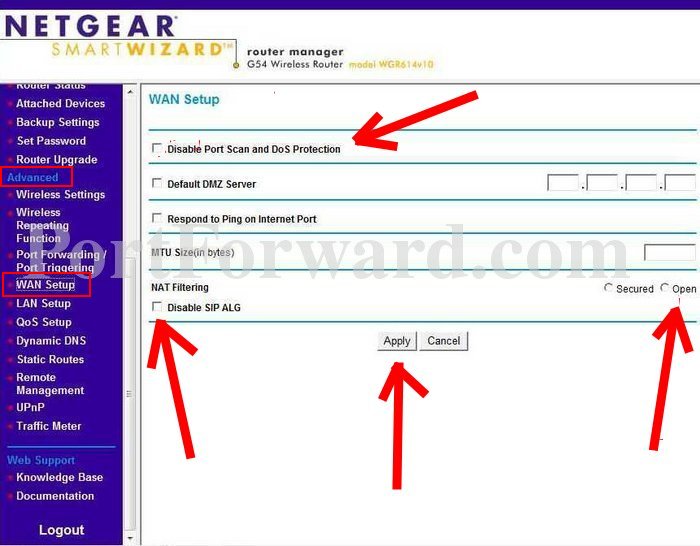
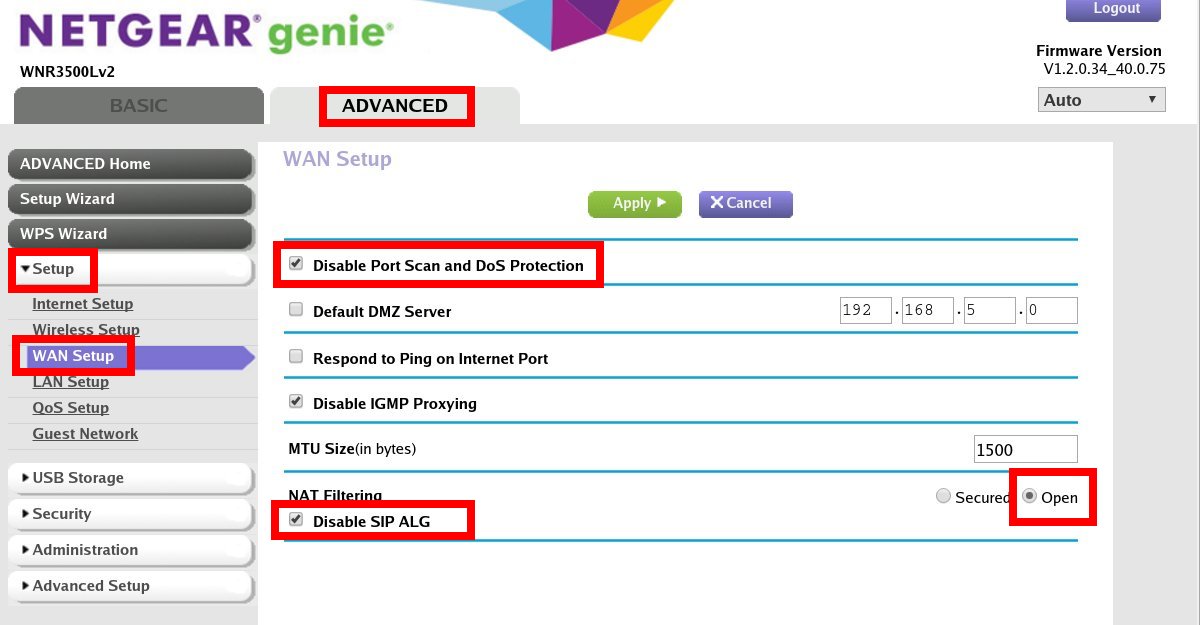
- Login to your Netgear router.
- Click the ADVANCED tab.
- Click SETUP (if applicable).
- Click the WAN SETUP option.
Make the following changes:
- Check the box for DISABLE PORT SCAN AND DOS PROTECTION.
- Check the box for DISABLE SIP ALG.
- Set NAT FILTERING to OPEN.
Click APPLY when finished.